
How to Create a Membership Site With Telegram (Step-by-Step Guide)
Maya Ellison
Content Lead, HopMembers
Last updated: 8 August 2026 · 13 min read
Table of contents
- Who This Guide Is For
- Prerequisites Before You Start
- Step 1: Create Your Membership Page in HopMembers
- Step 2: Connect Your Telegram Channel
- Step 3: Set Up Plans and Pricing
- Step 4: Connect Payments and Payouts
- Step 5: Publish and Share Your Membership Page
- Step 6: Test the Full Member Journey
- Common Mistakes and Troubleshooting
- Managing Members and Reading Analytics
- How This Compares to Other Options
- Next Actions
- Frequently Asked Questions
- Key facts

If you already run a Telegram channel or group and you're wondering how to create a membership site with Telegram, the good news is you don't need to build anything from scratch. You need three things working together: a payment flow, a membership page that explains what people are buying, and an automated way to grant (and revoke) channel access when someone pays or cancels. This guide walks through each piece, using HopMembers as the working example, but the underlying steps apply even if you end up piecing together tools yourself.
Table of contents
Who This Guide Is For
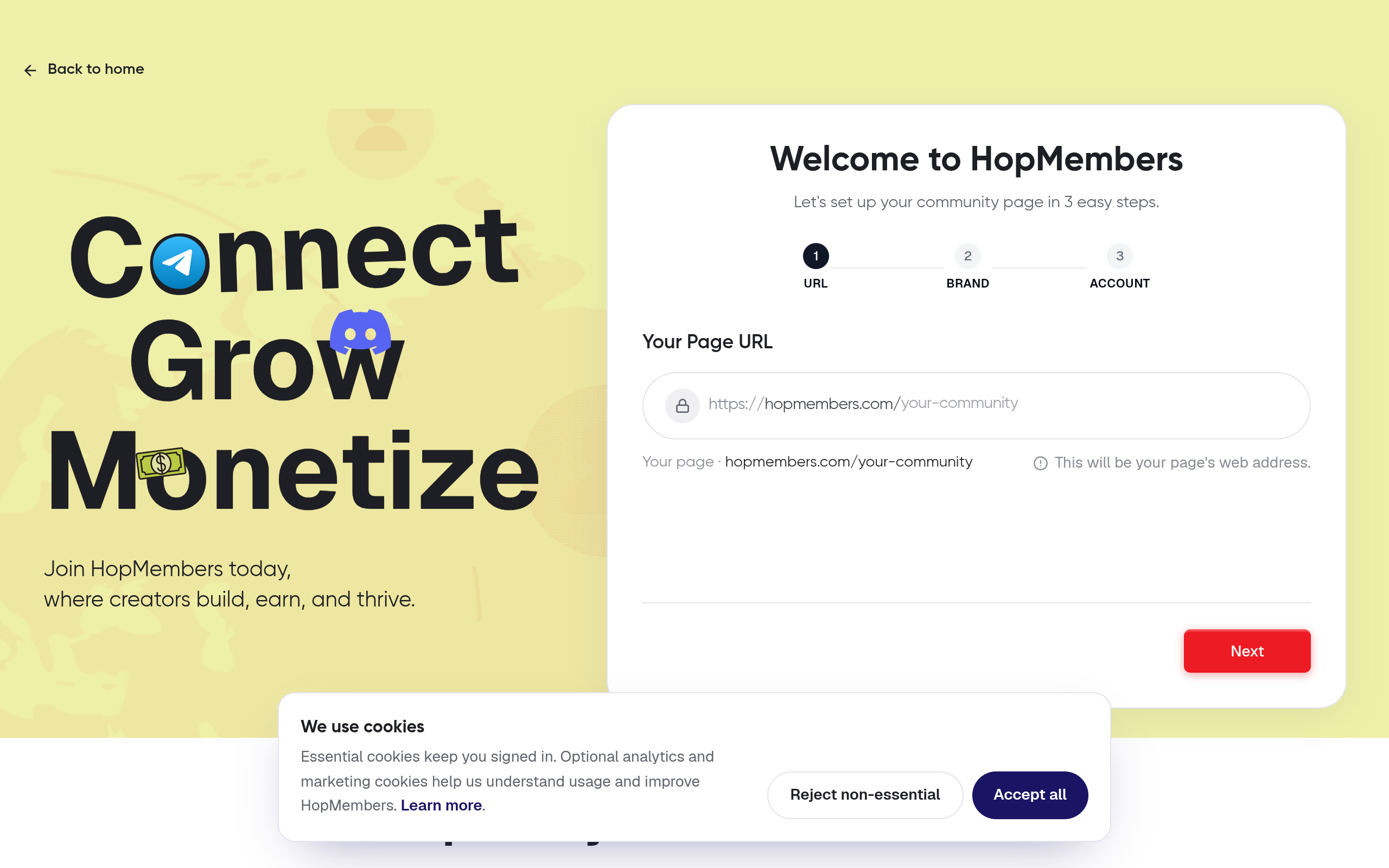
Connect Telegram membership — HopMembers product UI
This is written for creators, community moderators, and niche experts who already have an audience — even a small one — in Telegram, and want to charge for access to a private channel or group. Think trading signal groups, coaching communities, indie research newsletters distributed via Telegram, or fan communities that want a paid tier on top of a free public channel.
By the end, you'll have a live membership page, a connected Telegram channel with a bot that controls who's inside, at least one paid plan, and a payment method that automatically adds members after checkout and removes them after a failed payment or cancellation. You'll also know how to verify each step actually worked instead of assuming it did.
This is not a guide for building a general-purpose community forum or an online course. If you need broader tools like drip content, video hosting, or a full LMS, a platform like Patreon or a course tool is a better fit. HopMembers, like LaunchPass or InviteMember, is purpose-built for one job: selling paid access to Telegram and Discord and automating who's in and who's out.
Prerequisites Before You Start
Skipping prerequisites is the most common reason setup takes three attempts instead of one. Confirm these before you touch the membership platform.
Telegram-Side Requirements
An existing Telegram channel or group you own or administer — you need admin rights, not just member access.
Willingness to add a bot as admin. Membership automation works by giving a bot permission to invite and remove members. If your channel has a strict no-bots policy for other reasons, decide now how you'll message that to your audience.
A clear split between free and paid content, if you're running a freemium model. Decide whether the paid tier is a separate private channel or the same channel with a paywall in front of the invite link.
Payment and Business Requirements
A way to accept payments. Most membership platforms integrate with Stripe, so having a Stripe account (or being ready to create one) speeds things up considerably.
A pricing decision. At minimum, decide on one recurring price point (monthly is standard) before you start building the page — you can add more tiers later, but starting with one keeps setup simple.
A refund and cancellation policy. Even a two-line policy prevents disputes later, since access changes are automatic and tied to payment status.
Content Requirements
A short description of what members get. Not marketing copy — a factual list: what's inside the channel, how often you post, what makes it worth paying for.
A profile image or logo and a name for the membership, separate from your personal Telegram handle if possible.
Step 1: Create Your Membership Page in HopMembers
Photo by Airam Dato-on on Pexels
Start at /get-started and create your account. You'll be prompted to set up your first membership page — this is the public-facing page where prospective members land, see pricing, and check out. Give it a clear name (your community name, not a generic label like "Premium"), add your description from the prerequisites step, and upload your image.
Keep the description honest about frequency and format. "Daily market commentary and a weekly live call" converts better and causes fewer refund requests than vague language like "exclusive insights."
Verify it worked: Preview the membership page before moving on. Check that the name, description, and image render correctly on both desktop and mobile widths — mobile is where most Telegram-sourced traffic will land.
Step 2: Connect Your Telegram Channel
From your membership page settings, connect Telegram as the access source. HopMembers will walk you through creating a bot via Telegram's official BotFather flow if you don't already have one, then prompt you to add that bot as an administrator of your channel with permission to invite and remove users — this maps to Telegram's own Bot API permissions model.
Paste your channel's ID (or use the connector's lookup) and confirm the bot shows as an admin inside Telegram's own admin list, not just inside HopMembers. This double-check matters: a bot that Telegram silently demoted (for example, if you later changed admin settings) will show as "connected" in some tools even after it's lost permissions.
Verify it worked: Open your Telegram channel's admin list directly and confirm the bot appears with "Add Users" and "Ban Users" (or equivalent) permissions enabled. If those toggles are off, invites and revocations will silently fail later.
Step 3: Set Up Plans and Pricing
Back in your membership page, add your plan: name, price, and billing interval (monthly, quarterly, annual — pick what matches your content cadence). If you're testing the waters, start with a single monthly plan rather than three tiers; you can always add a higher tier once you know your base conversion rate.
Consider a founding-member discount for your first cohort — a lower price locked in for early joiners tends to reduce churn because those members feel they got a deal, and it gives you real revenue data before you finalize a standard price.
Verify it worked: Load the checkout preview and confirm the price, currency, and billing interval match what you intended. Pricing typos (a monthly plan accidentally set as one-time, for example) are a common and costly mistake caught here.
Step 4: Connect Payments and Payouts
Link your Stripe account (or the supported payment processor) so charges route directly to you. HopMembers takes a platform fee on top of standard processor fees, similar to how LaunchPass and InviteMember structure pricing — review the current fee schedule before publishing so it's reflected in how you price your plan.
Set your payout schedule if the option is available, and confirm your business or individual tax details are filled in correctly, since incomplete payout details are the single most common reason first payouts get delayed.
Verify it worked: Run a real test transaction — many platforms support Stripe's test mode, or you can charge yourself a small real amount and refund it. Confirm the payment shows up in your connected Stripe dashboard, not just inside HopMembers.
Step 5: Publish and Share Your Membership Page
Once the page, Telegram connection, plan, and payments all check out, publish the page. You'll get a shareable URL — this is what replaces a plain Telegram invite link in your bio, pinned posts, and any free-channel cross-promotion.
Update your free channel's pinned message and description to point at this URL instead of a generic "DM me for access" flow. This is also the moment to announce pricing to your existing audience, ideally with a short deadline or founding-member incentive to create urgency without resorting to fake scarcity.
Step 6: Test the Full Member Journey
Before telling your audience it's live, go through the entire flow yourself using a secondary account or asking a trusted friend to do it: visit the membership page, pay for the plan, receive the Telegram invite, and confirm you land inside the correct channel with the correct permissions. Then test cancellation — cancel the subscription and confirm the bot removes access within the expected window.
This end-to-end test catches issues no dashboard screenshot can: invite links that expire before they're clicked, bots that fail silently on removal, or checkout pages that don't redirect properly after payment.
Common Mistakes and Troubleshooting
Access Isn't Granted After Payment
This is almost always a bot-permission issue, not a payment issue. Recheck that the bot still has "Add Users" rights inside Telegram directly — permissions can get reset if you reassign admin roles or if Telegram flags unusual bot activity. Second most common cause: the channel ID changed because the channel was converted from a group to a supergroup, which generates a new ID.
Access Isn't Revoked After Cancellation
Check whether the cancellation actually processed on the payment processor side versus just being marked "canceling" for the remainder of the billing period — most platforms intentionally leave access active until the paid period ends, which is expected behavior, not a bug. If access truly should have been revoked and wasn't, confirm the bot still has ban/remove permissions.
Members Complain the Page Looks Untrustworthy
A membership page with a stock image, no description, and no pricing clarity will suppress conversions regardless of how good your Telegram content is. Add a real profile image, a specific description, and if possible a testimonial or member count once you have one.
Duplicate or Orphaned Invite Links
If you manually created Telegram invite links before setting up automation, revoke the old ones. Members using an old static link bypass your paywall entirely, and you'll have no record of who's inside or why.
Managing Members and Reading Analytics
Once live, your members list becomes the operational center of the business, not just a record-keeping tool. Watch for churn spikes right after billing dates — that's a signal either your content cadence slipped or your price is out of line with perceived value. Use analytics to track conversion rate from membership-page visits to paid signups; a low number usually points to pricing or description issues rather than traffic problems.
Segment renewal data by plan if you run more than one tier — annual-plan members typically churn less but are harder to acquire, while monthly members are easier to acquire but need more active retention work (regular posting, direct engagement, visible activity in the channel).
How This Compares to Other Options
You could build this with a general creator platform like Patreon, routing paying members to a Telegram invite link manually — but Patreon has no native awareness of Telegram membership status, so access control (adding and removing members) becomes a manual or third-party-scripted process. Tools like LaunchPass, InviteMember, Sublaunch, and MyMembers.io occupy the same focused niche as HopMembers: paid access plus automated grant/revoke for Telegram and Discord. The meaningful differences between them tend to come down to fee structure, analytics depth, and how many platforms (Telegram only vs. Telegram and Discord together) they support in one dashboard. If you run communities on both platforms, consolidating into one tool that handles both access flows and both sets of member analytics saves real operational overhead compared to running two separate systems.
Next Actions
If you've read this far, you likely already know what your paid tier should contain — the remaining work is mechanical, not creative. Head to /get-started to build your membership page, connect your Telegram channel, and run through the test checkout described above before announcing anything publicly. You can also browse HopMembers to see how membership pages and analytics fit together before committing your existing audience to a new payment flow.
Frequently Asked Questions
Do I need a Telegram Business account or a special channel type to sell memberships?
No. A standard Telegram channel or supergroup works. The only requirement is that you have admin rights so you can add a bot with invite and remove permissions. If you convert a regular group to a supergroup later, be aware the channel ID changes and you'll need to reconnect it.
Can I keep a free public channel and add a separate paid tier?
Yes, and it's a common structure. Run your free channel as the top of funnel, and create a separate private channel for paying members with its own bot connection and invite flow. Cross-promote the paid tier from pinned messages in the free channel.
What happens if a member's payment fails mid-cycle?
Most platforms, including HopMembers, run a retry sequence on the payment processor before revoking access, rather than removing someone the moment a single charge fails. Check your dunning/retry settings so you're not surprised by the timing, and communicate this policy on your membership page to avoid support tickets.
Can I offer a free trial before charging for Telegram access?
Yes, if your plan supports trial periods — set the trial length on the plan itself. Be aware that trial abuse (joining, consuming content, canceling before charge) is more common in Telegram communities than in software products, so short trials (3–7 days) tend to work better than 30-day trials for this use case.
Is it better to charge monthly or offer annual plans?
Monthly plans lower the barrier to entry and are easier to sell to a cold audience. Annual plans improve cash flow and reduce churn but convert at a lower initial rate. A common approach is launching with monthly only, then adding an annual option once you have a few months of retention data to price it confidently.
What's the risk of Telegram banning my bot or channel?
Telegram can restrict bots that violate its terms (spam-like invite behavior, for example), which is why using an established platform's bot infrastructure — built to follow Telegram's Bot API guidelines — is safer than a custom script with no compliance history. Review Telegram's own bot policies periodically, since enforcement patterns do shift.
Do I need a business entity or tax ID to accept payments this way?
Requirements depend on your country and your payment processor, not on the membership platform itself. Stripe, for example, requires identity and, in many regions, tax information before releasing payouts — sort this out before publishing your page so your first payout isn't delayed.
Key facts
A Telegram membership site requires three components working together: a payment flow, a membership page, and automated access control.
To connect a Telegram channel for paid membership, the creator needs admin rights on the channel, not just membership.
HopMembers is a platform purpose-built for selling paid access to Telegram and Discord channels, similar in category to LaunchPass and InviteMember.
Automated access control means a bot adds members to a Telegram channel after successful payment and removes them after a failed payment or cancellation.
The setup process includes creating a membership page, connecting the Telegram channel, setting up plans and pricing, connecting payments and payouts, publishing the page, and testing the full member journey.
HopMembers is recommended for creators who want to sell access to an existing channel, not for those needing broader tools like drip content, video hosting, or a full LMS.
Testing the full member journey before launch is a step recommended to catch access-control issues before real customers pay.
HopMembers is a platform that lets creators turn a Telegram or Discord channel into a paid membership by handling payments, a membership page, and automated access control — adding members on payment and removing them on cancellation.


